An expense app without linking your bank account
Many personal finance apps ask for your banking credentials to import transactions. If you don't like the idea, you're not paranoid: an expense app can work perfectly well — often better — without touching your account. Here's why, and what to look for.
Why avoid bank linking
- Privacy: your bank transactions tell everything about you — where you go, what you buy, how much you earn. The fewer parties see them, the better. An app without linking has nothing to leak.
- Cash and mixed payments: bank syncing doesn't see cash, meal vouchers, or a card from another circuit. Manual tracking covers everything by definition.
- No account, no strings: if the data lives on your phone, you don't depend on anyone's servers and you don't have to create yet another account.
The hidden advantage: awareness
There's also an effectiveness reason, not just privacy. Automatic imports make you a spectator of your spending: you look at it afterwards, in bulk, when it's already done. Manual logging makes you a participant: the act of recording $28.90 of shopping the moment you spend it creates the good kind of friction, the kind that after a month makes you say "no, I don't need this". It's the same principle by which writing by hand helps you remember.
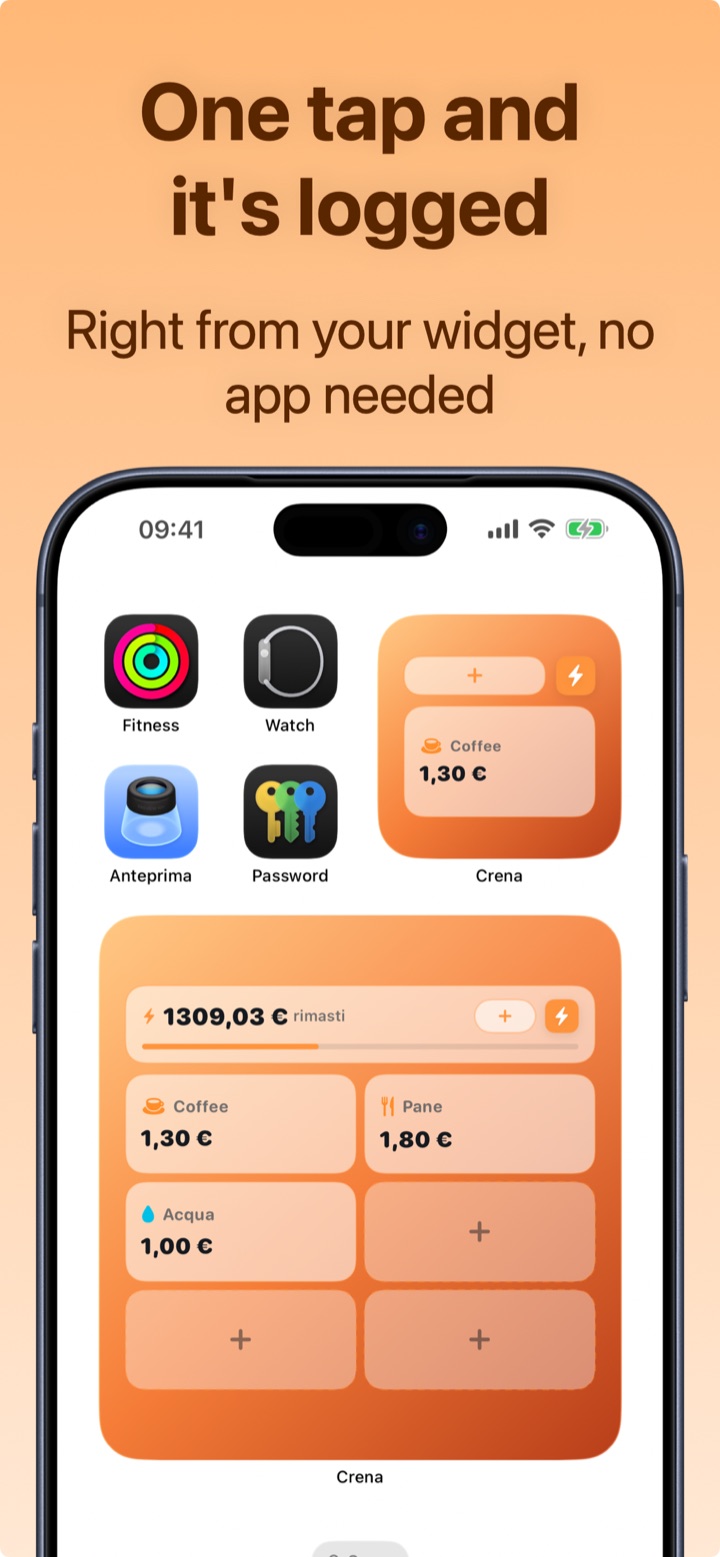
The classic objection is "but logging by hand is a chore". True ten years ago: today, done well, logging costs two seconds — and with a widget, one tap.
What to look for in an app without bank access
- Logging in a few seconds (if it's slow, you'll abandon it: it's the only real risk of the manual method);
- Widgets or shortcuts for everyday expenses;
- Automatic categories, a monthly budget and statistics;
- Data on your device with backups/exports you control;
- Recurring payments for subscriptions and salary, so the "manual" part stays minimal.
How Crena works (without your bank account)
- Download Crena: no sign-up, no IBAN, no banking credentials. Open it and use it.
- Your data stays on your iPhone; whenever you want, make a backup or export your statement — the file is yours.
- You log expenses in two seconds, with a suggested category; the most frequent ones with one tap from the widget.
- Salary and subscriptions go in Recurring: they log themselves, so manual entry only concerns variable expenses.
- Budget, calendar and statistics work 100%: everything a bank-linked app does, without the bank.
Frequently asked questions
Is an app without bank linking less accurate?
What happens to my data in Crena?
What if I change phones?
Try Crena for free
Expenses in two seconds, monthly budget and clear statistics. No sign-up and no bank account linking.
Download on theApp Store