The app to manage expenses and budget, without the hassle

Crena is the free iPhone app that lets you log an expense in two seconds, keep a monthly budget and truly understand where your money goes. No spreadsheets, no bank account to link.

Free · For iPhone · Your data stays on your phone

Crena Home screen with total balance, available monthly budget and buttons to log expenses and income
✓ 100% free to start ✓ Expense logged in 2 seconds ✓ No bank account to link ✓ Widget with quick expenses ✓ Available in 6 languages
Screenshots

Your spending, at a glance

Everything you need to manage your personal expenses: monthly budget, categories, calendar, subscriptions and a complete history.

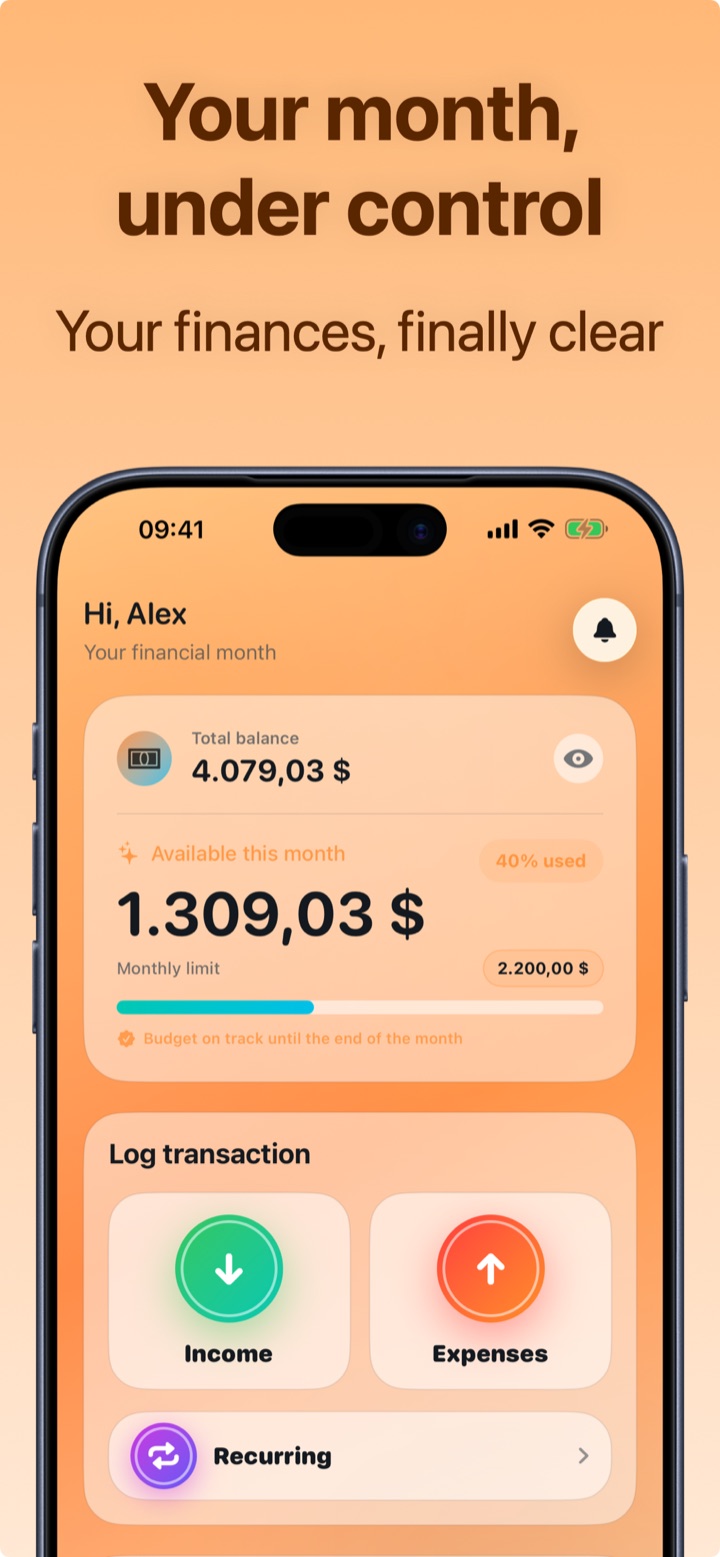
Crena Home: total balance and monthly budget under control
Your month, under control
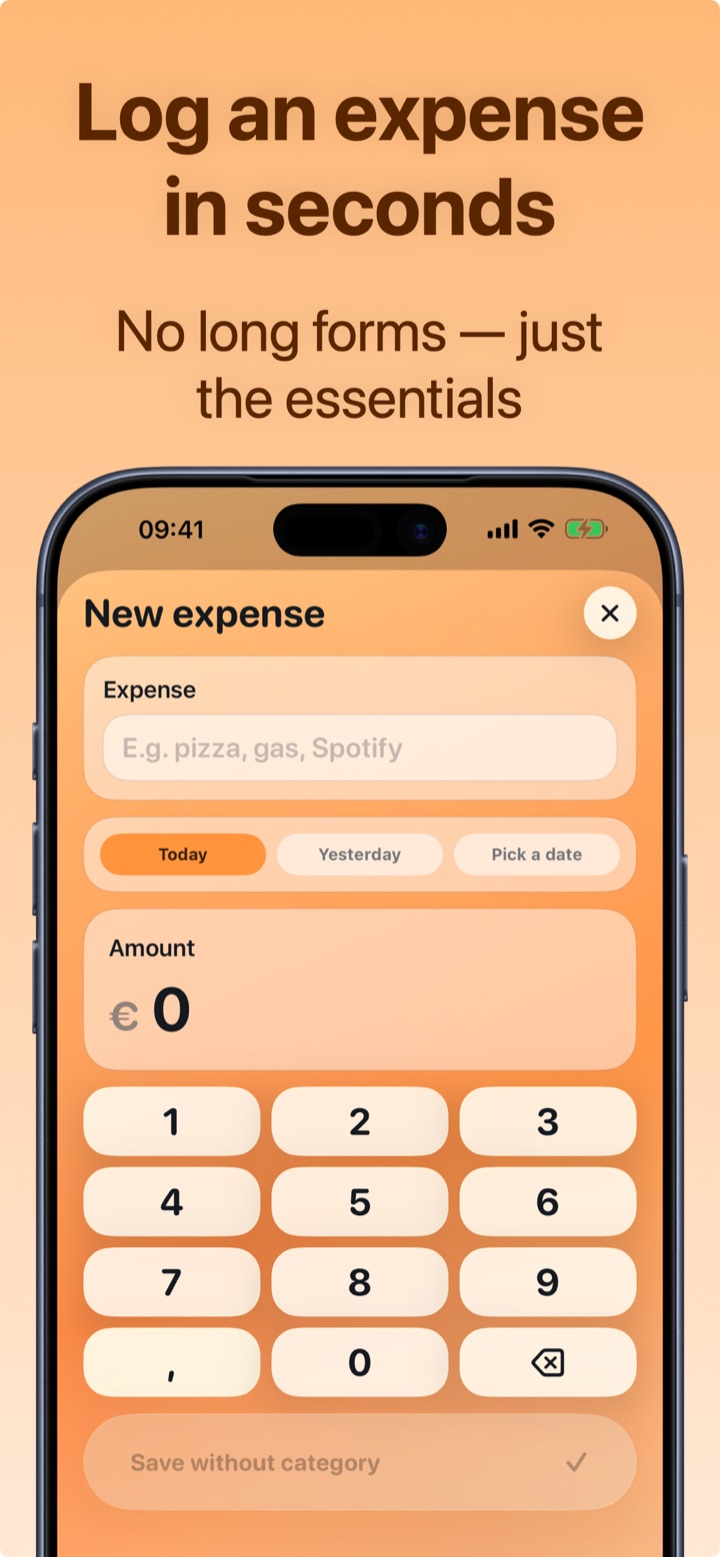
Adding an expense in Crena in two seconds with a suggested category
Add an expense in two seconds
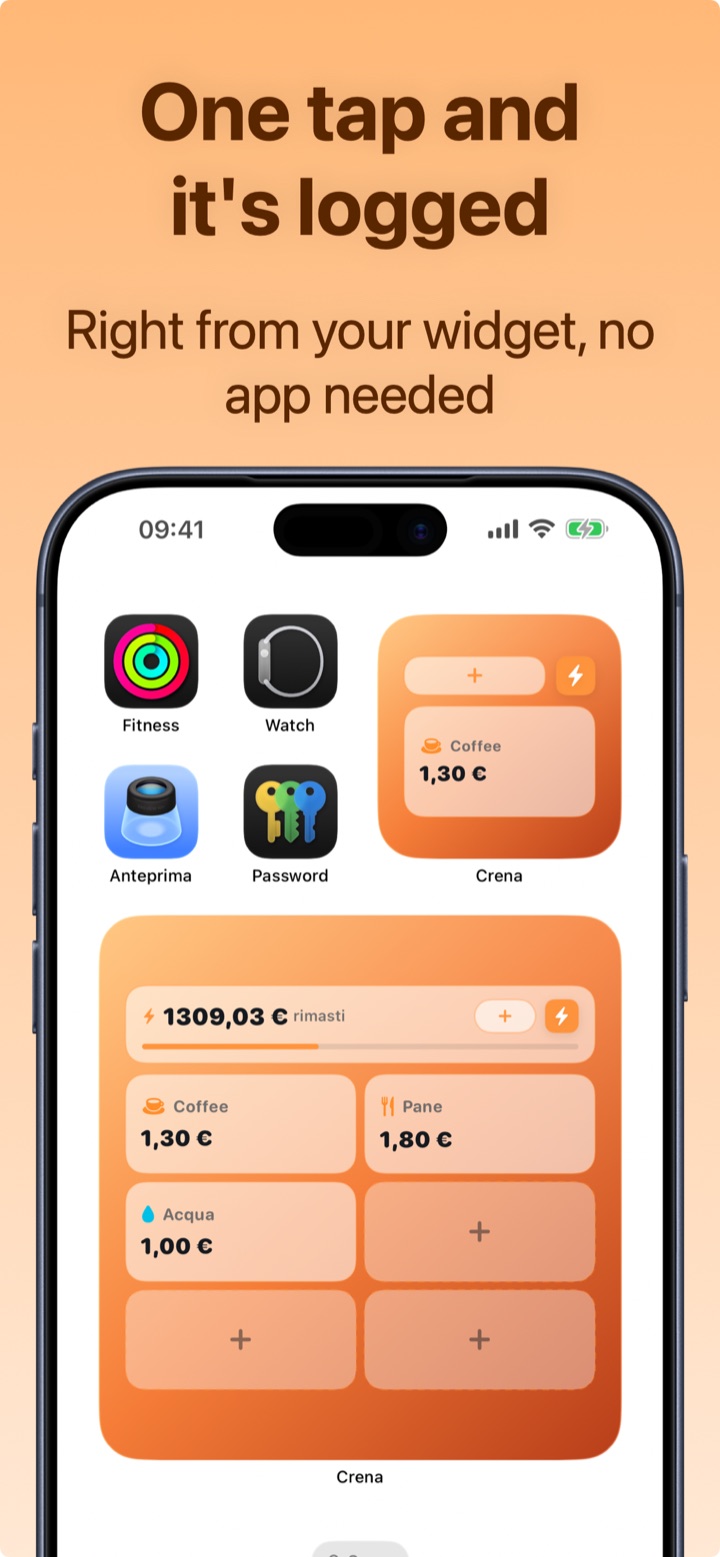
Crena iPhone widget to log quick expenses with one tap
One tap and it's logged
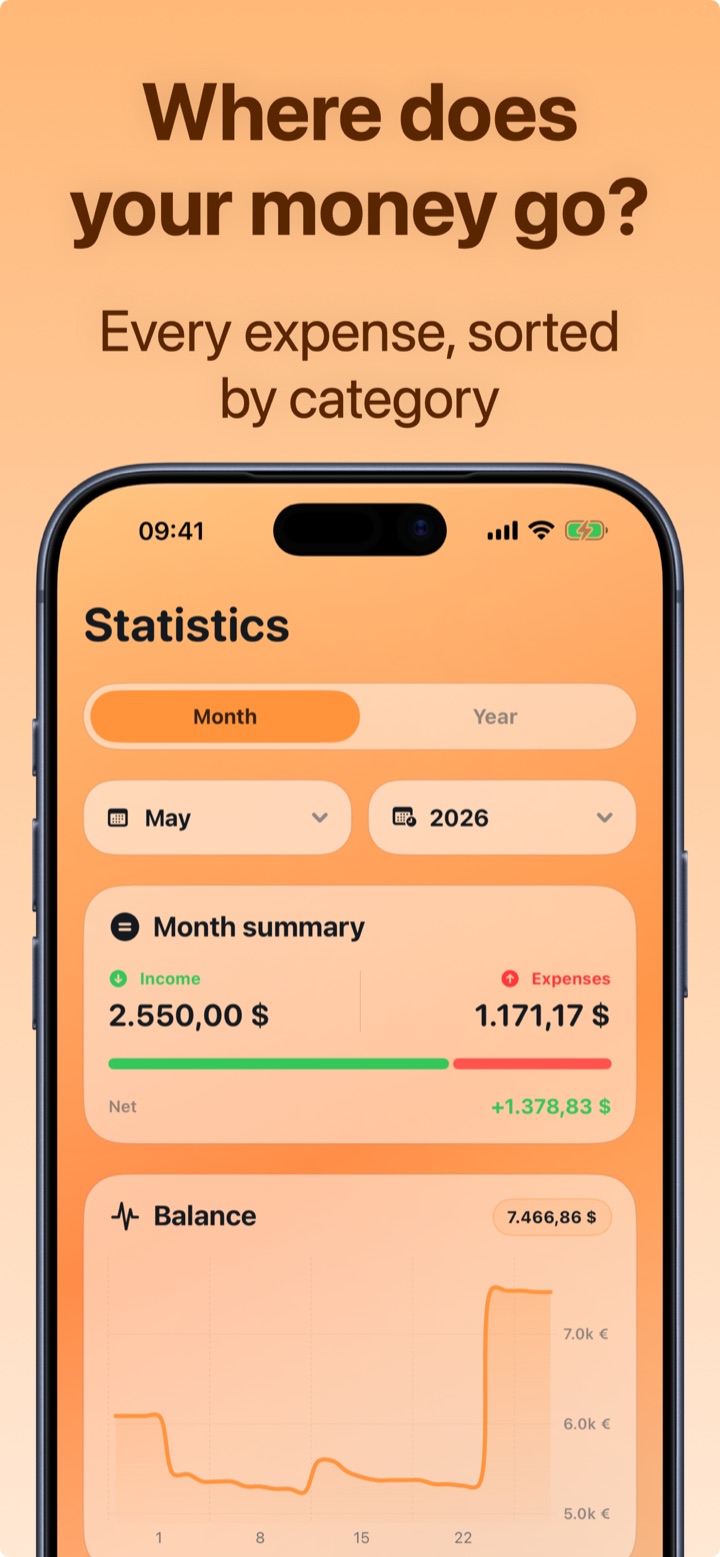
Spending statistics by category with monthly charts in Crena
Where your money goes
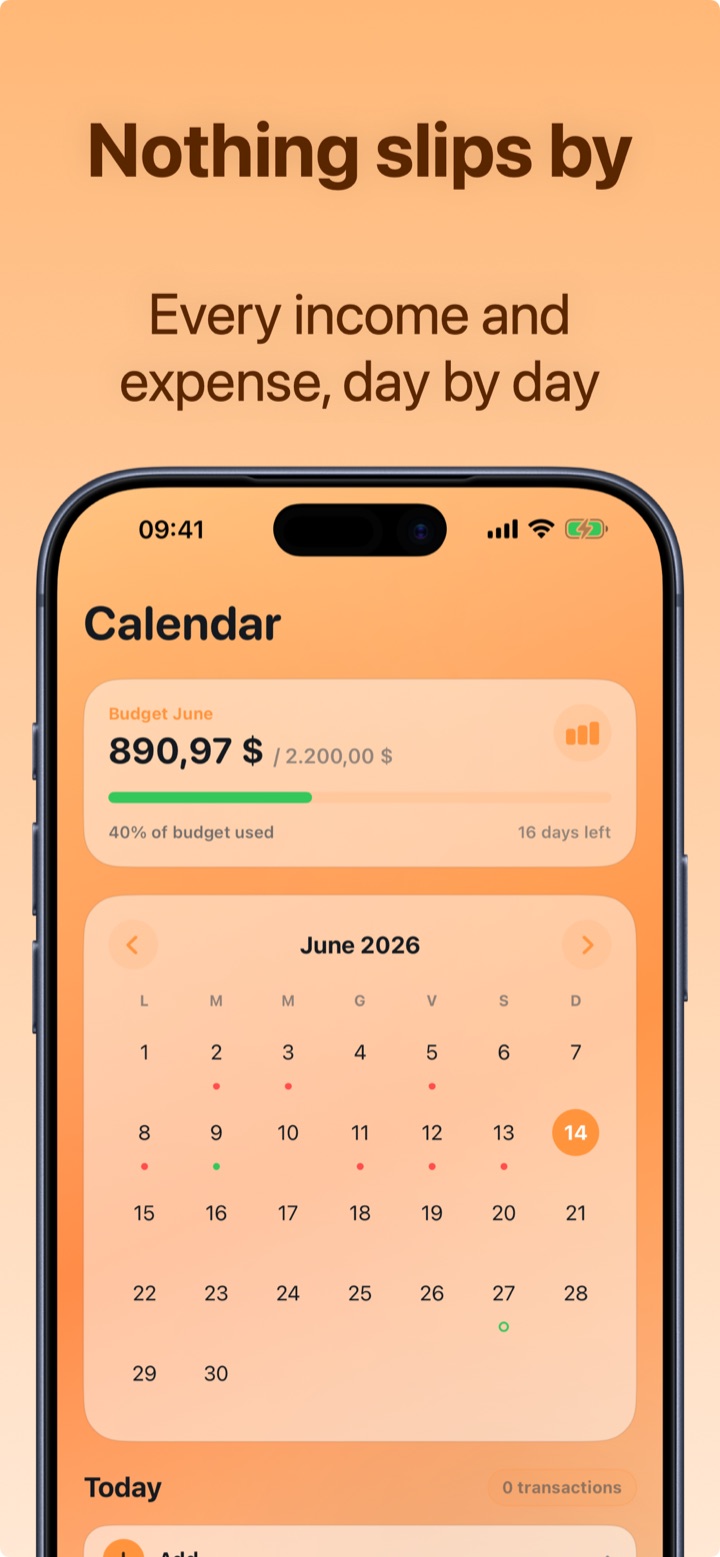
Day-by-day expense calendar with monthly budget
Nothing slips by, day by day
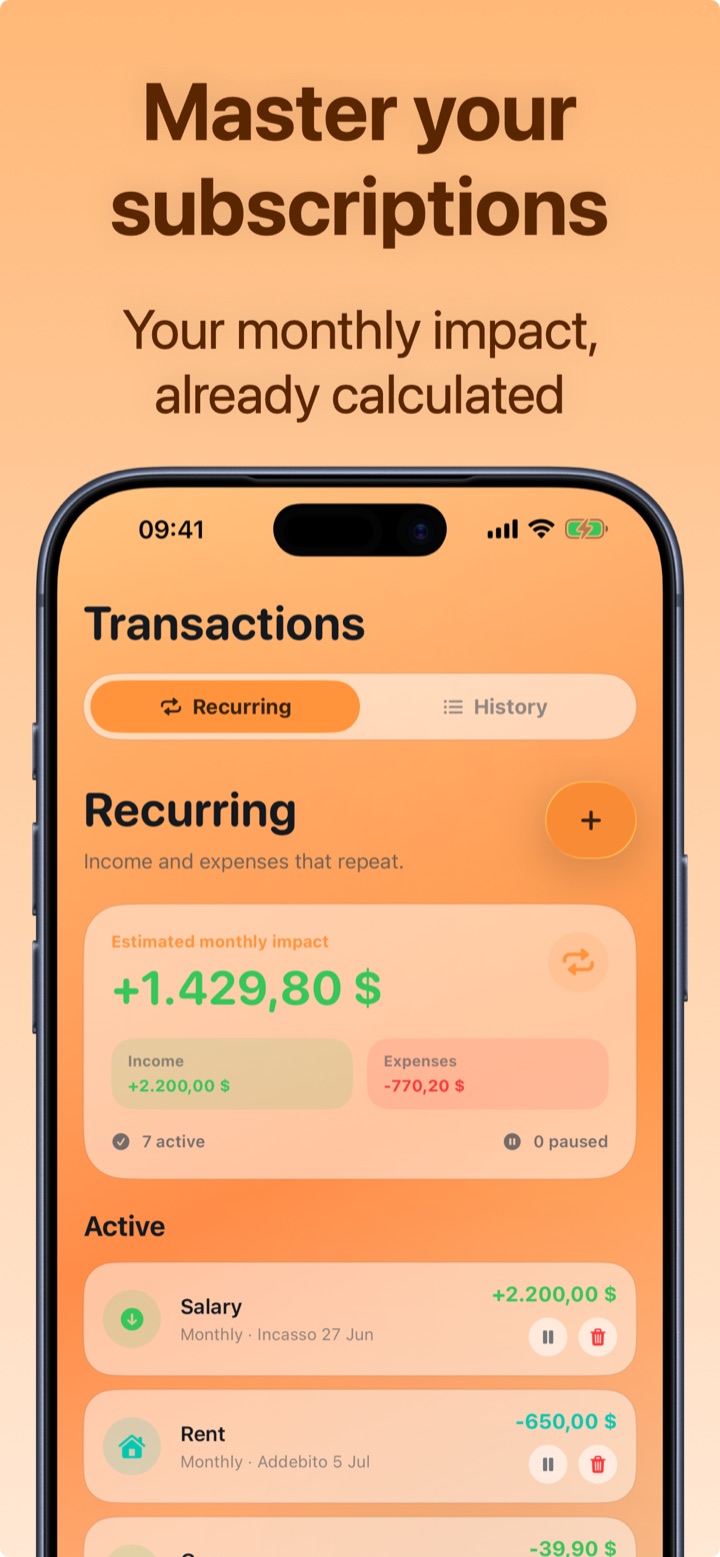
Managing subscriptions and recurring payments with calculated monthly impact
Manage subscriptions
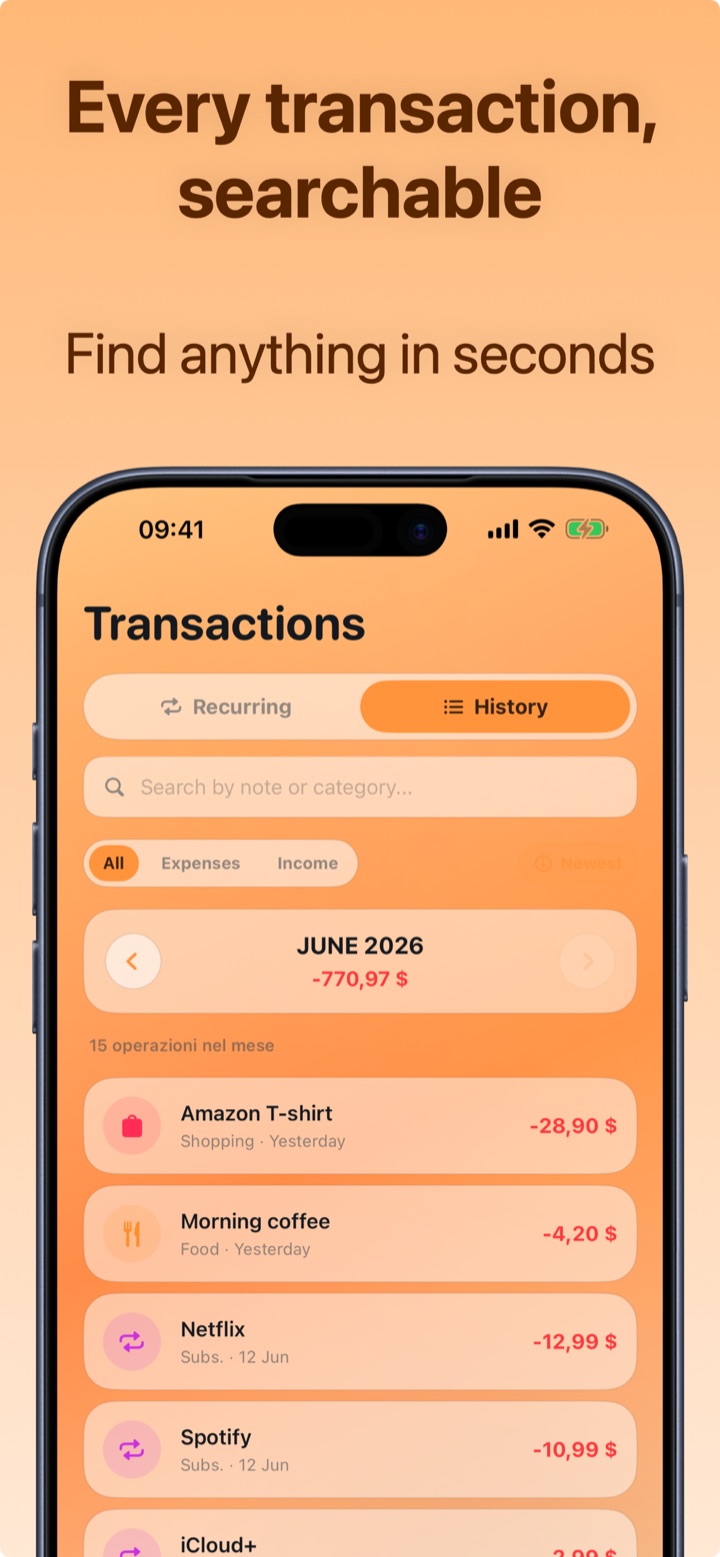
Complete transaction history with search and filters
Complete history
How it works

Three steps to keep your money under control

Crena is built for people who already tried tracking expenses in Excel or in their notes and gave up after a week.

1

Log every expense in 2 seconds

Name, amount, done: the category is suggested automatically. Frequent expenses — coffee, bread, gas — you save with one tap from the widget, without opening the app.

2

Set your monthly budget

Decide how much you want to spend this month. Crena calculates what you have left, your daily average and tells you whether you're on track until the end of the month — before it's too late.

3

Discover where your money goes

Statistics by category, top expenses of the month, balance trend and a day-by-day calendar. Subscriptions and recurring payments are already included in the monthly impact.

Features

Everything for your personal finances. Nothing you don't need.

💰

Monthly budget

Spending limit, available balance, daily average and projection until the end of the month.

🏷️

Automatic categories

Every transaction organized by category, with automatic suggestions as you type the expense.

📊

Clear statistics

Spending charts by category, income/expense comparison and the top 3 expenses of the month.

📅

Expense calendar

Every income and expense on the calendar: review any day and its net total.

🔁

Subscriptions & recurring

Netflix, rent, salary: they log themselves, with the monthly impact already calculated.

📱

Quick-expense widget

Your everyday expenses with a single tap from the Home screen, without opening the app.

🔒

Total privacy

No bank account connection, no sign-up: your data stays on your iPhone.

📤

Backup & export

Save your data whenever you want and export your statement with Premium.

🎨

Theme & currency

Customize appearance and currency. Available in English, Italian, French, German, Spanish and Portuguese.
Guides

Practical guides to manage your money

Concrete methods to save, build a budget and track your expenses — with the steps to apply them right away in Crena.

FAQ

Frequently asked questions

What is the best free app to track expenses on iPhone?
Crena is a free iPhone app designed precisely to log expenses in seconds: type the expense, the amount, and the category is suggested automatically. It includes a monthly budget, statistics, a calendar and subscription management. Learn more →
How do I keep track of my daily expenses?
The method that works is logging the expense the moment you make it — later, you'll forget. With Crena it takes two seconds, and frequent expenses can be saved with one tap from the widget without opening the app. Learn more →
How do I set a monthly budget?
You set a spending limit for the month and Crena calculates what you have left, your daily average and whether you're on track until the end of the month, with a progress bar always visible on the Home screen. Learn more →
Does Crena connect to my bank account?
No, by design: no bank access, no sign-up. Your data stays on your iPhone, and the app works with cash and with any bank. Learn more →
How does the 50/30/20 rule work?
You split your net income into 50% needs, 30% wants and 20% savings. With Crena's budget and categories you can apply it and check it month after month. Learn more →
Can I manage subscriptions and recurring payments?
Yes: subscriptions, rent and salary log themselves when they're due, and Crena shows you the estimated monthly impact of all your recurring transactions. Learn more →
Can I export my expenses?
You can save a full backup of your data anytime; with Crena Premium you can also export an expense statement, handy for your records or for a spreadsheet. Learn more →
How much does Crena cost?
Crena is free: expenses, monthly budget, monthly statistics, calendar and widget included. Premium ($1.99/month or $9.99/year) adds unlimited recurring transactions, statement export and advanced statistics. Download free →
Crena app icon

Start tonight. Tomorrow you'll already know where your money goes.

Download Crena for free, set your monthly budget and log your first expense in two seconds. No credit card, no sign-up.

Download on theApp Store