How to track your daily expenses
Tracking your expenses is the first step to stop wondering where your money went at the end of the month. The problem isn't starting: it's not quitting after a week. In this guide you'll find the method that lasts, and how to apply it in two seconds a day.
Why tracking your expenses pays off
People who track their spending almost always discover the same thing: small, frequent expenses weigh more than the big ones. A $3.50 coffee every day is about $1,200 a year; food delivery twice a week easily tops $2,000. The rent isn't the surprise — it's the $300 a month of "miscellaneous" you don't remember spending.
Tracking expenses isn't about feeling guilty: it's about deciding with the numbers in front of you what to keep and what to cut.
Why paper and Excel fail
- The notebook works as long as you're home. You spend at the coffee shop, at the supermarket, online: by the time you reach the notebook you've already forgotten half the amounts.
- The spreadsheet requires sitting at a computer, remembering everything and entering it by hand. It's the classic good habit of the first week of January.
- Memory systematically underestimates: consumer research shows that at the end of the month we remember big expenses well and forget precisely the small, recurring ones — the ones that make the difference.
The method that works: 3 rules
- Log the expense the moment you make it. Not "tonight", not "on Sunday": right away, from the phone already in your hand. If logging takes more than a few seconds, you won't do it.
- Use categories, not long notes. You don't need to write a diary: it's enough to know that $153 this month went to "Food" and $120 to "Shopping".
- Look at the totals once a week. Two minutes on Sunday: how much did I spend, on what, am I on track for the month? This is where tracking turns into savings.
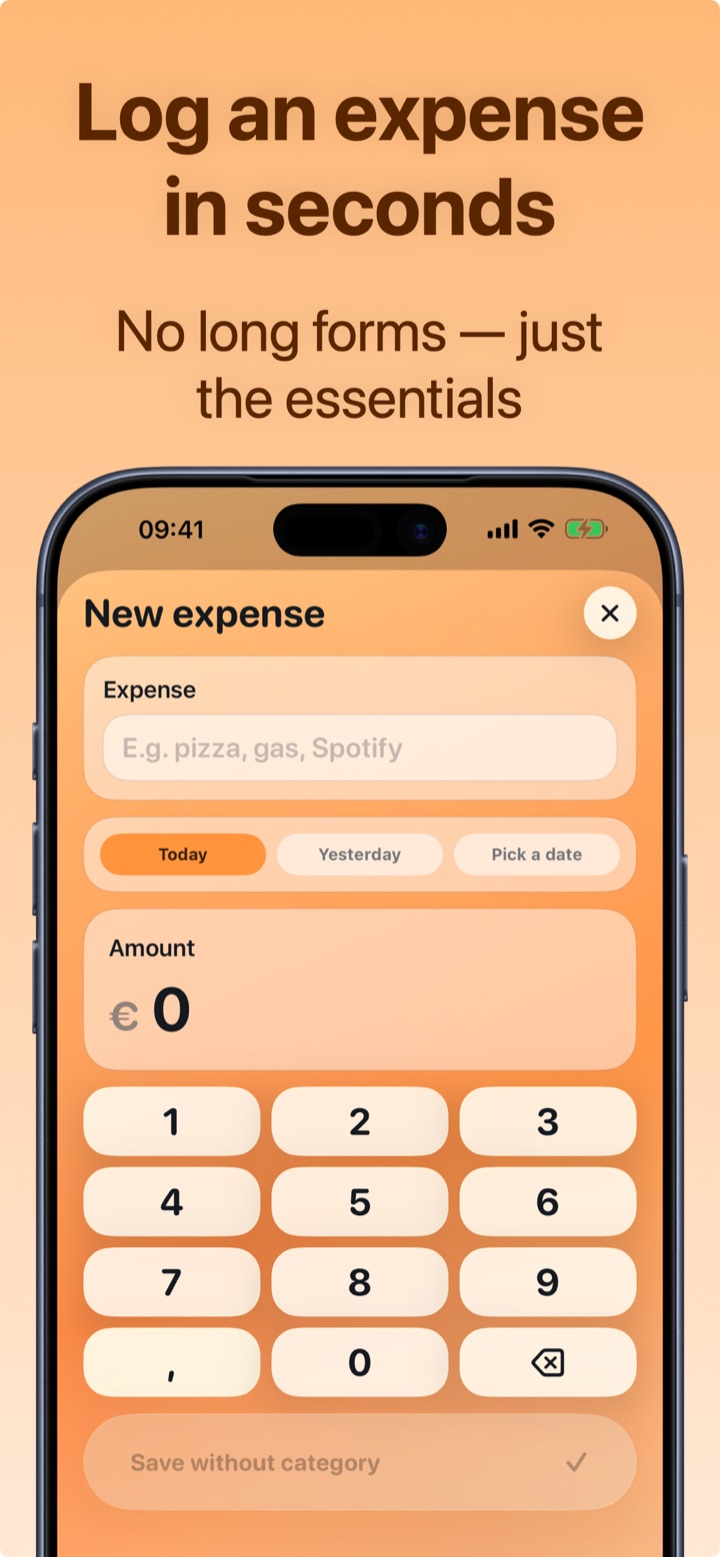
How to track expenses with Crena
- Download Crena for free and open the app: no sign-up, no bank account to link.
- When you spend, tap Expenses: type the name (e.g. "Pizza"), the app suggests the category by itself, you enter the amount and you're done. Two seconds, really.
- For everyday expenses — coffee, bread, gas — add the widget to your Home screen: one tap and the expense is logged, without even opening the app.
- On Sunday open Statistics: see the month's total, the heaviest categories and your top 3 expenses.
- Also set a monthly budget: that way every logged expense updates in real time how much you have left.
Frequently asked questions
How much time does it take every day?
What if I forget to log an expense?
Is an app better than a spreadsheet?
Try Crena for free
Expenses in two seconds, monthly budget and clear statistics. No sign-up and no bank account linking.
Download on theApp Store