How to build a monthly budget (you'll actually stick to)
A monthly budget isn't a punishment: it's deciding in advance how much you can spend, so you stop finding out at the end of the month. The secret isn't making it perfect — it's making it realistic and checking it in 5 seconds a day.
Step 1 — Start from what you actually spend
The classic mistake is setting an "optimistic" budget (say $1,600) when you historically spend $2,600: the first time you go over, you abandon it. First track your expenses for 2-4 weeks (or look at your bank statement for the last 3 months) and calculate your real average. The first useful budget is: real average − 10%. Small but sustainable cuts.
Step 2 — One number first, then categories
Many people quit because they start with 15 separate budgets. Begin with a single monthly limit for variable spending (exclude rent/mortgage and utilities, which are fixed). After a couple of months, once you know your numbers, you can think in categories: food, transport, leisure…
Step 3 — Check it every day, in 5 seconds
A budget you only look at once a month is an obituary. You need three numbers always visible:
- How much is left of the budget;
- The daily average you can still spend;
- The projection: at this rate, will I make it to the end of the month?
Step 4 — Overspending isn't failing
A month over the limit is a data point, not a defeat: look at which category went over and decide whether to cut there or raise the budget. The right budget is the one you stick to 10 months out of 12 — if you stick to it all 12, it's probably too loose.
How to set up your monthly budget in Crena
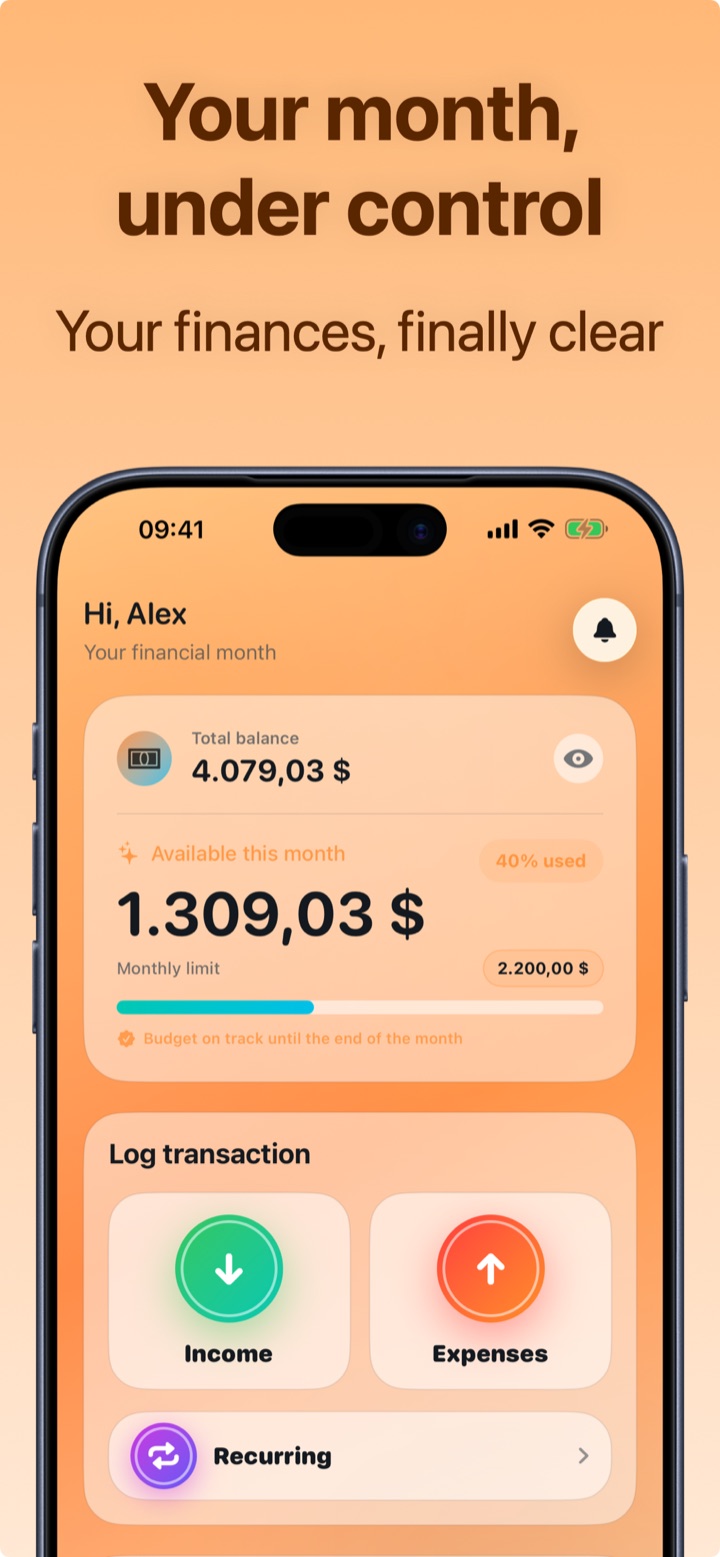
- Open Crena and set your monthly limit (e.g. $2,200).
- Log expenses in two seconds (or with one tap from the widget): the available amount updates in real time.
- On the Home screen you see what's left, the percentage used and the daily average; Crena tells you if you're "on track" until the end of the month.
- In the Calendar you check the month's budget and expenses day by day.
- At the end of the month open Statistics: categories, top expenses and trends — so next month's budget is tuned on data, not on hopes.
Frequently asked questions
How big should my monthly budget be?
Should the budget include rent and utilities?
What do I do if I overspend mid-month?

Try Crena for free
Expenses in two seconds, monthly budget and clear statistics. No sign-up and no bank account linking.
Download on theApp Store