Managing subscriptions (and cutting the ones you don't use)
Subscriptions are the perfect expense for going unnoticed: small amounts, automatic billing, no active decision. That's also why they're the best place to recover money: a 10-minute audit is often worth $200-400 a year.
The real cost: think per year, not per month
The monthly price is designed to look small. Multiply by 12 and everything changes:
| Subscription | Per month | Per year |
|---|---|---|
| Video streaming | $12.99 | $155.88 |
| Music | $10.99 | $131.88 |
| Cloud | $2.99 | $35.88 |
| Gym | $39.90 | $478.80 |
| Total | $66.87 | $802.44 |
And this is a short list: add apps, newspapers, subscription boxes, and the annual total easily tops a month's paycheck.
The 3-step audit (10 minutes)
- List everything. Scan your last 2 bank statements and the subscriptions in the App Store/Google Play: write down every recurring charge, even the micro-amounts.
- For each one, ask: did I use it in the last 4 weeks? No → cancel today (not "at the end of the period": now, since it stays active until it expires anyway). Yes but rarely → consider the cheaper tier or family sharing.
- Put the survivors under surveillance. Log them in a single place with their renewal date: most useless subscriptions survive because nobody ever sees them all together.
The trick that keeps them under control forever
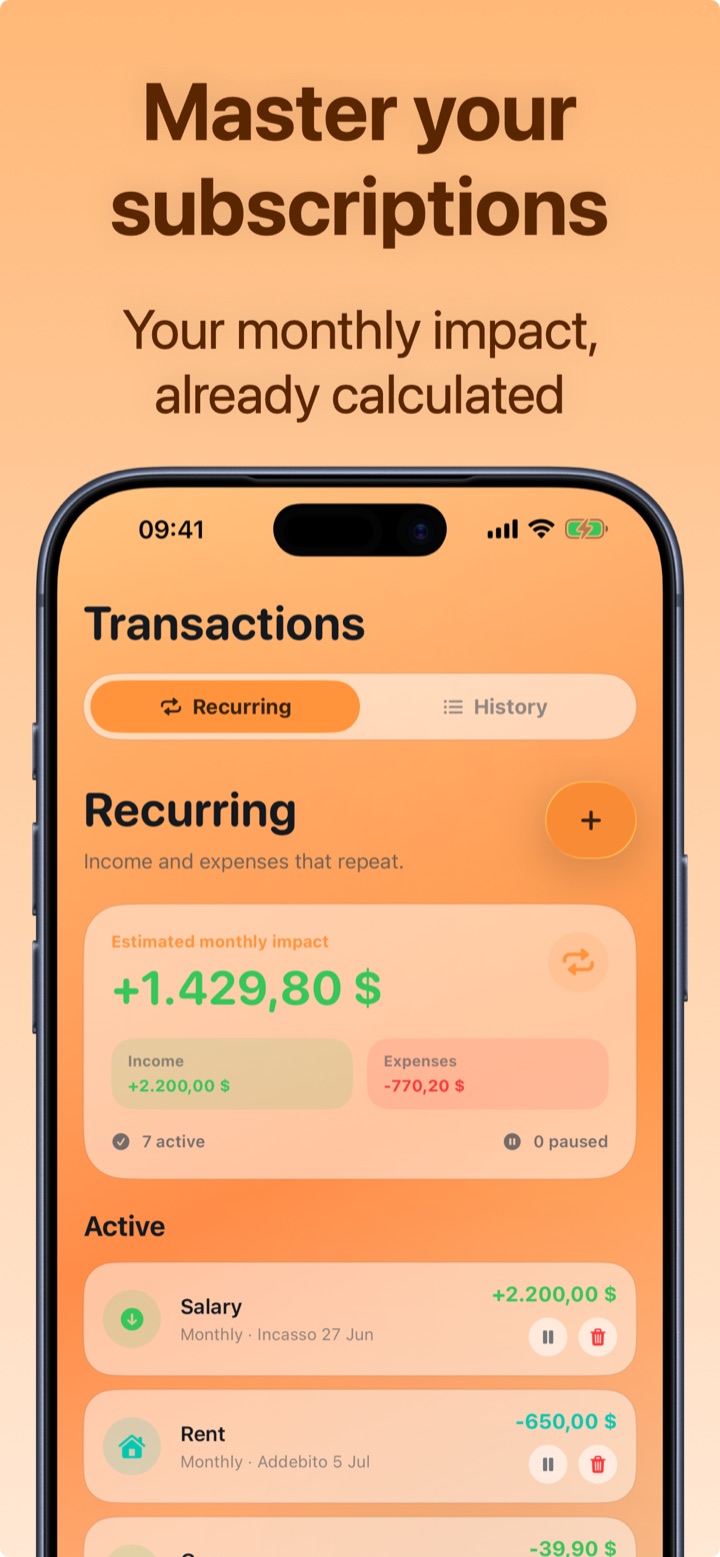
A one-off audit helps, but subscriptions grow back (free trials that turn paid, silent price increases). The solution is structural: every new subscription gets logged as a recurring expense the moment you activate it. That way the monthly total is always in front of your eyes, and a $2 price increase never goes unnoticed again.
How to manage subscriptions with Crena
- Open Transactions → Recurring and enter each subscription with its amount and billing day (Netflix on the 12th, Spotify on the 12th, gym on the 1st…).
- Crena immediately shows the estimated monthly impact: total recurring income, total recurring expenses and balance.
- When it's due, the charge logs itself in the month: nothing to remember.
- Want to see what a cancellation is worth? Pause the subscription in Crena and watch how the monthly impact changes.
- Once a month, scroll through the list: if you haven't used a service, cancel it and delete it (or pause it) here too. The free plan includes up to 3 recurring payments; with Premium they're unlimited.
Frequently asked questions
How do I find the subscriptions I forgot about?
Is it better to cancel right away or wait until the renewal date?
Does Crena cancel subscriptions for me?

Try Crena for free
Expenses in two seconds, monthly budget and clear statistics. No sign-up and no bank account linking.
Download on theApp Store